
 ENG
ENG
 English
 русский
 한국어
한국어 Deutsch
Submit feedback
News

PC Power Strip Guide: Features, Safety & Best Choices for Computers
 2026.02.10
 Industry News
Content
- 1 Essential Features of PC Power Strips
- 2 Surge Protection Requirements for Computer Systems
- 3 Outlet Configuration and Spacing
- 4 EMI/RFI Noise Filtering
- 5 Cable Management Features
- 6 Safety Features and Certifications
- 7 Smart Power Strip Features
- 8 Choosing the Right Power Strip for Different PC Setups
- 9 UPS Battery Backup Integration
- 10 Common Mistakes to Avoid
- 11 Maintenance and Replacement Guidelines
- 12 Cost-Benefit Analysis
- 13 Installation Best Practices
Essential Features of PC Power Strips
A dedicated PC power strip is critical for protecting expensive computer equipment from electrical damage while providing organized power distribution for multiple components. The ideal PC power strip must include surge protection rated at minimum 1000 joules, adequate outlet spacing for bulky adapters, and EMI/RFI noise filtering to prevent electrical interference that can affect system stability.
Unlike basic household power strips, PC-specific models are engineered to handle the unique demands of computer systems: consistent clean power delivery, accommodation for multiple power adapters, protection against voltage spikes, and often include USB charging ports for peripherals. A quality PC power strip typically features 6-12 AC outlets with 15-amp capacity and built-in safety mechanisms including overload protection and circuit breakers.
The investment in a proper PC power strip ranges from $25-$150 depending on features, with mid-range models around $40-$70 offering the best balance of protection and functionality for most desktop setups. This upfront cost is minimal compared to replacing a $2,000+ gaming PC or workstation damaged by power surges.
Surge Protection Requirements for Computer Systems
Surge protection stands as the most critical feature for any PC power strip. Power surges from lightning strikes, utility switching, or electrical faults can instantly destroy computer components, with motherboards, graphics cards, and power supplies being particularly vulnerable to voltage spikes.
Understanding Joule Ratings
Joule rating measures the total energy a surge protector can absorb before failing. For PC applications, minimum recommendations are:
- Basic home office PC: 1000-1500 joules
- Gaming PC or workstation: 2000-3000 joules
- Professional equipment/servers: 3000+ joules
- Multi-system setups: 4000+ joules
Higher joule ratings provide longer protection lifespan. A 3000-joule unit can absorb three times the energy of a 1000-joule model before its protective components degrade. Quality units include indicator lights showing when surge protection remains active.
Clamping Voltage Specifications
Clamping voltage determines when the surge protector activates. Lower values mean faster response to voltage spikes. UL 1449 standards recognize three levels: 330V, 400V, and 500V. For sensitive PC equipment, choose power strips with 330V or 400V clamping voltage. The 330V rating offers the best protection, activating when voltage exceeds safe levels by the smallest margin.
Response Time Matters
Quality PC power strips react to surges within 1 nanosecond or less. This near-instantaneous response prevents voltage spikes from reaching connected equipment. Cheaper models may have response times of 5-10 nanoseconds, which can allow damaging voltage through to sensitive components.
Outlet Configuration and Spacing
Modern PC setups require power for multiple components: desktop tower, monitors, speakers, external drives, lighting, and various peripherals. The outlet arrangement significantly impacts usability and cable management.
Optimal Outlet Count
A typical desktop PC setup needs 8-12 outlets to accommodate all components without daisy-chaining additional power strips, which creates safety hazards. Component breakdown for standard gaming or productivity setups:
- PC tower: 1 outlet
- Monitors (1-3 displays): 1-3 outlets
- Speakers/audio system: 1-2 outlets
- External storage/NAS: 1-2 outlets
- Router/modem: 1-2 outlets
- Desk lamp/USB hub: 1-2 outlets
- Reserve capacity: 2-3 outlets
Wide-Spaced Outlets for Large Adapters
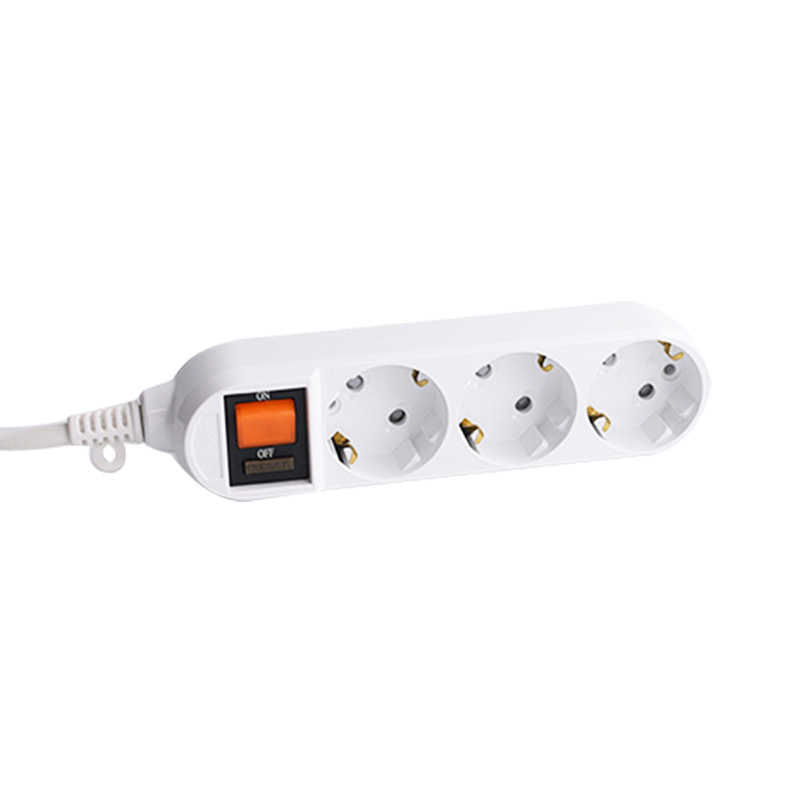
Power adapters for monitors, external drives, and other peripherals often block adjacent outlets on standard power strips. Look for models with alternating wide-spaced outlets or rotating receptacles that accommodate bulky transformers without sacrificing neighboring sockets. Some premium models feature outlets spaced 2-3 inches apart specifically for this purpose.
USB Charging Integration
Modern PC power strips increasingly include USB ports for charging smartphones, wireless peripherals, and portable devices. Quality models provide 2.4A per port or higher, with total USB output ranging from 3.0A to 5.0A across all ports. USB-C PD (Power Delivery) ports offering 18W-60W charging are becoming standard on premium units, enabling fast charging for laptops and tablets.
EMI/RFI Noise Filtering
Electromagnetic interference (EMI) and radio-frequency interference (RFI) can degrade PC performance, causing audio crackling, screen artifacts, USB device disconnections, and system instability. Quality PC power strips include filtering circuits that remove this electrical noise from the power supply.
Noise filtering is measured in decibels (dB) of attenuation across different frequency ranges. Premium PC power strips provide 40-60 dB of noise reduction across the 150 kHz to 100 MHz spectrum. This filtering proves particularly important for:
- Audio production workstations requiring clean power for minimal interference
- Precision measurement and testing equipment
- Locations with poor electrical infrastructure or heavy industrial equipment nearby
- Homes with multiple high-power appliances on the same circuit
While noise filtering adds $10-$30 to the power strip cost, it can resolve mysterious performance issues that might otherwise lead to expensive and unnecessary component replacements.
Cable Management Features
Effective cable management improves aesthetics, airflow, and safety while simplifying equipment access and maintenance. Modern PC power strips incorporate various cable organization solutions.
Built-in Cable Routing
Premium power strips feature integrated cable channels, clips, or Velcro straps for organizing power cables. Some models include mounting brackets for securing the strip under desks or behind monitor stands, with designated pathways guiding cables to their destinations. This built-in management can eliminate the need for separate cable organizers, saving $15-$25 in additional accessories.
Cord Length Considerations
PC power strips typically come with cords ranging from 4 to 15 feet. Desktop setups generally require 6-10 foot cords for flexible positioning without excess cable. Longer cords (12-15 feet) suit configurations where wall outlets are distant from the desk. Avoid excessively long cords that create tripping hazards or cable clutter.
Mounting Options
Look for power strips with keyhole slots, screw mounts, or adhesive backing for permanent installation under desks or on walls. Desktop models with weighted bases or rubberized bottoms stay secure on surfaces without mounting. Tower-style vertical power strips maximize desk space efficiency, occupying minimal surface area while providing numerous outlets.
Safety Features and Certifications
Safety certifications and protective features prevent electrical fires, equipment damage, and personal injury. Never compromise on safety features to save a few dollars on a PC power strip.
Required Safety Certifications
Verify that PC power strips carry proper safety testing certifications:
- UL 1449 certification for surge protective devices
- UL 1363 certification for relocatable power taps
- ETL Listed as an alternative to UL certification
- FCC compliance for EMI/RFI filtering claims
Uncertified power strips may lack proper surge protection, use substandard wiring, or employ inferior materials that pose fire hazards. The certification mark should appear on the product itself, not just packaging.
Overload Protection Mechanisms
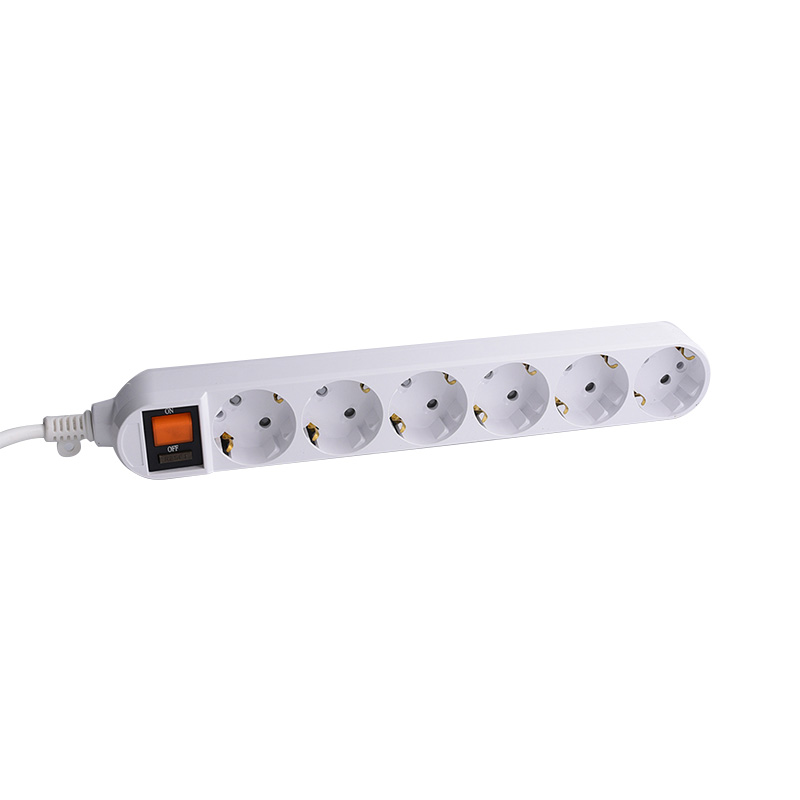
Circuit breakers or resettable fuses protect against overload conditions when connected devices exceed the power strip's 15-amp (1800W) typical capacity. The breaker trips automatically, cutting power before wiring overheats. Resettable circuit breakers (toggle switches or buttons) are more convenient than replaceable fuses, which require spare fuse inventory.
Fire-Resistant Housing
Premium PC power strips use flame-retardant ABS plastic or metal housings rated to withstand temperatures exceeding 750°C (1382°F) without igniting. This fire-resistant construction contains potential electrical fires, preventing spread to surrounding materials. Budget models may use standard plastic that melts or burns when exposed to electrical faults.
Ground Fault Protection
Some advanced PC power strips include ground fault circuit interrupter (GFCI) protection, which detects current leakage and immediately cuts power within 4-6 milliseconds. While not standard for desktop use, GFCI protection adds safety in environments where liquid spills pose risks or in basement setups prone to moisture.
Smart Power Strip Features
Smart power strips add automation, monitoring, and control capabilities to traditional surge protection. These advanced features improve energy efficiency and enable remote power management.
Master-Controlled Outlets
Intelligent power strips feature a master outlet that controls peripheral outlets. When the PC (plugged into the master) powers down, the strip automatically cuts power to peripherals like monitors, speakers, and printers, eliminating standby power consumption. This automation can reduce phantom power draw by $30-$60 annually for typical desktop setups.
Individual Outlet Control
Premium smart strips allow independent control of each outlet via physical switches, smartphone apps, or voice assistants. This granular control enables users to power cycle specific devices remotely, schedule operating times, or completely disable unused outlets. Models with Wi-Fi connectivity integrate with smart home ecosystems (Alexa, Google Home, HomeKit).
Energy Monitoring
Advanced power strips track real-time power consumption, reporting watts, voltage, and accumulated kilowatt-hours through companion apps. This monitoring identifies energy-hungry components and quantifies savings from efficiency improvements. Gaming PCs drawing 300-500W under load can benefit significantly from monitoring that encourages power-conscious usage habits.
Programmable Schedules
Set outlets to power on/off automatically based on time schedules, reducing energy waste from equipment left running unnecessarily. Program the PC to power off at specific times, disable RGB lighting overnight, or cut power to networking equipment during known away periods.
Choosing the Right Power Strip for Different PC Setups
Different computer configurations have varying power distribution and protection needs. Matching the power strip to your specific setup ensures adequate protection without overspending on unnecessary features.
| Setup Type | Recommended Outlets | Surge Rating | Key Features |
|---|---|---|---|
| Basic Home Office | 6-8 outlets | 1000-1500J | USB ports, spacing for adapters |
| Gaming PC (Single Monitor) | 8-10 outlets | 2000-3000J | EMI filtering, wide spacing |
| Multi-Monitor Workstation | 10-12 outlets | 2000-3000J | Multiple wide-spaced outlets |
| Professional Content Creation | 12+ outlets | 3000-4000J | EMI/RFI filtering, master control |
| Server/Network Equipment | 8-12 outlets | 3000-4000J | Individual switches, monitoring |
| Portable/Laptop Setup | 4-6 outlets | 1000-2000J | Compact size, USB-C PD |
Gaming PC Considerations
Gaming setups with high-end graphics cards drawing 300-450W alone require power strips rated for sustained high loads. Total system power consumption can reach 600-800W during gaming sessions. Ensure the power strip's 15A rating provides adequate headroom, and avoid connecting additional high-power devices like space heaters or printers to the same strip.
Professional Workstation Needs
Content creators, engineers, and professionals running multiple monitors (2-4 displays), external storage arrays, and specialized peripherals benefit from power strips with 12+ outlets and 3000+ joule ratings. EMI/RFI filtering becomes critical when audio quality or precision measurements matter. Consider rack-mountable power strips for professional studio environments.
UPS Battery Backup Integration
Uninterruptible Power Supply (UPS) units combine surge protection with battery backup, providing continued operation during power outages. While more expensive than power strips alone, UPS systems prevent data loss and component damage from sudden power interruptions.
When UPS Makes Sense
Consider UPS backup for:
- Areas experiencing frequent power outages or brownouts
- Mission-critical work that cannot tolerate interruptions
- Desktop PCs without integrated battery backup (unlike laptops)
- Server or network equipment requiring continuous operation
- Systems with extensive unsaved work or long rendering processes
UPS Capacity Sizing
UPS units are rated in volt-amperes (VA) and watts. Calculate total load by adding wattage of all connected devices, then multiply by 1.25 for 25% headroom. A typical gaming PC drawing 600W requires approximately 750VA/750W UPS minimum for basic shutdown capability, or 1000-1500VA for 5-10 minutes of continued operation.
Entry-level UPS units cost $80-$150 for 600-900VA capacity, while 1500VA models range from $180-$300. Premium features include automatic voltage regulation (AVR), LCD displays, and management software.
Common Mistakes to Avoid
Several common errors compromise PC power strip effectiveness and safety. Avoiding these mistakes protects equipment and extends power strip lifespan.
Daisy-Chaining Power Strips
Never connect power strips in series (plugging one into another). This practice, called daisy-chaining, exceeds circuit capacity, creates fire hazards, and voids UL listings. Each power strip should plug directly into a wall outlet. If outlet quantity is insufficient, install additional wall outlets or use a single larger-capacity power strip.
Ignoring Joule Rating Degradation
Surge protection components degrade with each surge event, even small ones. A power strip that has absorbed its rated joule capacity no longer provides surge protection, though it continues functioning as a basic outlet strip. Replace power strips every 3-5 years or immediately after major surge events (lightning strikes, utility incidents). Many models include indicator lights showing when surge protection fails.
Overloading Circuit Capacity
While power strips accommodate many devices, the wall circuit still has limitations. Standard residential circuits provide 15 amps (1800W) or 20 amps (2400W). Calculate total load across all devices sharing the circuit, including items plugged directly into wall outlets. High-power gaming PCs combined with multiple monitors can approach circuit limits, particularly when sharing circuits with other room loads.
Blocking Ventilation
Power strips generate heat during operation. Avoid covering units with papers, fabrics, or placing them in enclosed spaces without airflow. Ensure 2-3 inches clearance around the power strip for proper ventilation, particularly for models with internal transformers or smart features that generate additional heat.
Maintenance and Replacement Guidelines
Regular maintenance and timely replacement ensure PC power strips continue providing adequate protection throughout their service life.
Periodic Inspection Schedule
Inspect power strips quarterly for signs of wear or damage:
- Check cord for fraying, cuts, or exposed wiring
- Verify surge protection indicator light remains illuminated
- Test ground fault indicators if present
- Ensure outlets grip plugs firmly without looseness
- Look for discoloration, burning smells, or unusual warmth
Replacement Triggers
Replace power strips immediately when:
- Surge protection indicator shows failure
- Unit has been in service for 3-5 years
- Visible damage to housing, cord, or plugs exists
- After major electrical events (lightning strikes, power surges)
- Circuit breaker trips repeatedly without clear cause
- Outlets become loose or fail to hold plugs securely
Cleaning and Care
Dust accumulation inside outlets can cause connection issues or fire hazards. Unplug the power strip monthly and use compressed air to remove dust from outlets. Wipe exterior surfaces with a slightly damp cloth—never spray liquids directly onto the unit. Ensure the strip is completely dry before reconnecting power.
Cost-Benefit Analysis
Investing in quality PC power strips provides significant value compared to the cost of replacing damaged equipment or dealing with power-related failures.
Price Ranges and Value Tiers
| Price Range | Typical Features | Best For |
|---|---|---|
| $15-$30 | Basic surge protection (1000-1500J), 6-8 outlets | Budget home office, temporary setups |
| $30-$60 | 2000-3000J, 8-10 outlets, USB ports, spacing | Standard desktop PCs, gaming setups |
| $60-$100 | 3000J+, 10-12 outlets, EMI/RFI filter, USB-C | Professional workstations, premium PCs |
| $100-$200+ | 4000J+, smart features, monitoring, 12+ outlets | High-end systems, server equipment |
Protection Value Calculation
A $60 quality power strip protecting a $2,000 PC represents just 3% of the equipment value. Component replacement costs after surge damage typically include:
- Motherboard: $150-$500
- Graphics card: $300-$1,500
- Power supply: $80-$200
- Storage drives (if damaged): $100-$400
- Monitor: $200-$800
Even a single prevented surge event justifies the power strip investment many times over. Over a 5-year typical replacement cycle, a $60 power strip costs just $12 annually—negligible insurance against equipment damage.
Energy Savings from Smart Features
Smart power strips with master-controlled outlets can save $30-$80 annually by eliminating phantom power draw from peripherals. At $0.13/kWh average residential rate, reducing 50W of standby consumption saves approximately $57 per year. The smart strip premium ($20-$40 over basic models) pays for itself within 6-12 months through energy savings alone.
Installation Best Practices
Proper installation maximizes PC power strip effectiveness, safety, and longevity while maintaining clean workspace aesthetics.
Optimal Positioning
Mount or place power strips in accessible locations for easy equipment connection and circuit breaker reset if needed. Under-desk mounting keeps strips off the floor while maintaining access. Avoid placing power strips:
- In direct sunlight or near heat sources (radiators, vents)
- Where liquids might spill on them
- In high-traffic areas creating tripping hazards
- Completely hidden where visual inspection becomes difficult
Ensuring Proper Grounding
PC power strips require three-prong grounded outlets for surge protection to function correctly. Never use two-prong adapters or remove the ground pin, as this defeats surge protection and creates shock hazards. If your home lacks grounded outlets, hire an electrician to upgrade wiring—this investment protects both equipment and personal safety.
Cable Organization Strategy
Route power cables cleanly using cable ties, channels, or built-in management features. Organize cables by component type (PC, monitors, peripherals) for easier troubleshooting. Leave 6-12 inches of slack at each connection point to prevent strain on plugs and allow equipment repositioning without disconnecting power.
Labeling Connections
Label each power cable at both ends (equipment and power strip) for quick identification during troubleshooting or equipment changes. Use printable labels, color-coded tape, or permanent markers. This simple organization saves significant time when diagnosing issues or modifying setups.
PRODUCTS
ABOUT US
CONTACT INFO.
- +86-18758062352
- +86-0571-64701616
- [email protected]
- No. 7, Xinqu Road, Xin’Anjiang Street, Jiande, Hangzhou, Zhejiang, China

Copyright © 2023 Hangzhou Newmany Electronics Co., Ltd. All Rights Reserved. Power Strip Manufacturer in China| Login

 TOP
TOP